
Zapya APK Download v7.1.1 Latest Version 2026
Share Photos, Videos, Apps and Files Offline – No Internet, No Cable, No Limits
| App Name | Zapya – File Transfer, Share |
| Version | v7.1.1 (Latest) |
| Developer | DewMobile (Dewmobile USA, Inc.) |
| Package Name | com.dewmobile.kuaiya.play |
| File Size | 25.7 MB |
| Requires | Android 8.0 and up |
| Category | Tools / File Transfer |
| Downloads | 100M+ on Google Play |
| Play Store Rating | 4.6 ★ (1.25M reviews) |
| Price | Free (contains ads) |
| Last Updated | November 2, 2026 |
- Original DewMobile signatureUnmodified Google Play build
- Same app as Google PlayPackage
com.dewmobile.kuaiya.play - No MOD, no repackSHA-256 verified November 24, 2026
Zapya APK is the Android installation file for Zapya, one of the most popular free file-sharing apps in the world. Zapya lets you send photos, videos, music, apps, documents and entire folders from one device to another without the internet, without mobile data and without a USB cable. It works between Android phones, iPhones, iPads, Windows PCs and Macs, and the developer quotes transfer speeds of up to 10 MB/s – far quicker than Bluetooth.
On this page you can download the latest Zapya APK (v7.1.1) – the original Google Play build, unmodified and signed by DewMobile – and learn everything about the app: features, how it works, how to install and use it, transfer speed, system requirements, safety and permissions, common problems such as Zapya not connecting, and how it compares with SHAREit, Xender and other file-transfer apps.
 Zapya for PCWindows 11, 10, 8 & 7
 Zapya for iPhoneiOS, iPad & iPhone to Android
 Zapya for MacMacBook & iMac
 Zapya Go APKLite version for low-end phones
Table of Contents
Zapya APK Download – Latest Version File Details
Zapya is listed on Google Play, but many people prefer to download the APK directly – for example on phones without Google services, to install it on several devices offline, or to keep a copy for later. The file offered here is the original Google Play build of Zapya 7.1.1, signed with DewMobile's certificate and served from our fast download server. Before installing any APK, compare its details with the table below.
| APK File Name | Zapya_v7.1.1.apk |
| Latest Version | 7.1.1 (version code 7110) |
| Package Name | com.dewmobile.kuaiya.play |
| File Size | 25.7 MB |
| Minimum Android | Android 8.0 (Oreo) |
| Tested Up To | Android 16 |
| Free Storage Needed | 150 MB+ (plus space for received files) |
| Internet Needed? | No – only for online Zapya Transfer |
| Install Method | Manual APK install or Google Play |
| Ads / In-app Purchases | Yes / Optional |
| First Released on Play | November 23, 2014 |
| Signed By | CN=Fastooth (DewMobile) |
| SHA-256 | a23ddd6b5b5f3bbae4af6b0330ca3620f3414bbc2a8b22ca9aeaa45d99845e5e |
A version number alone does not prove what an APK contains. The package name (com.dewmobile.kuaiya.play), file size and the developer's signing certificate tell you much more. Zapya's signing certificate has the SHA-256 fingerprint d24eb6fefa63863794933f5168801c35c6ee7e60335f213f6e79fffbf79b90d3. If you download Zapya from any other website, those details should match.
What Is Zapya APK?
Zapya is a cross-platform file-transfer app made by DewMobile. It started life in China under the name Kuaiya ("fast tooth") – which is why the Android package is still called com.dewmobile.kuaiya – and the international version has been on Google Play since November 23, 2014. Today it has more than 100 million downloads on Google Play alone and a 4.6-star rating from over 1.25M reviews.
The Zapya APK is simply the Android package that installs the Zapya app. "Zapya app", "Zapya file transfer", "Zapya download" and "Zapya APK" all refer to the same thing: a tool that turns your phone into a fast, private, wireless file-sharing hub. You pick files, the other person accepts, and they arrive within seconds – no data plan, no Wi-Fi router and no cable required.

How Does Zapya Work?
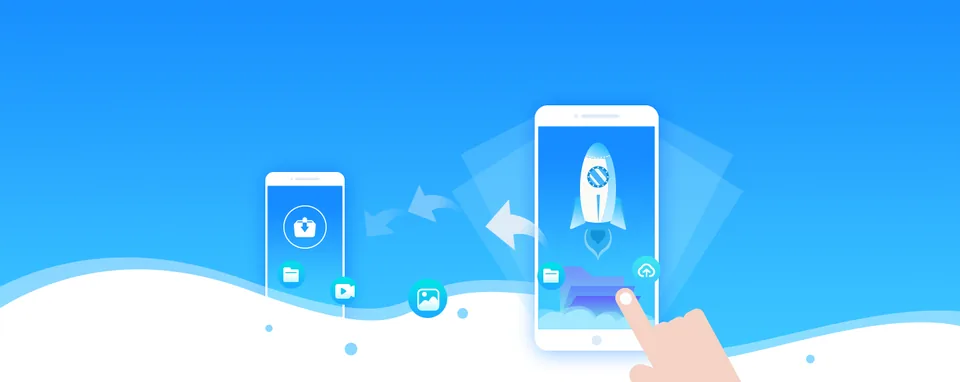
Zapya does not upload your files to a server when you share with someone nearby. Instead, one device creates a small private wireless network (a Wi-Fi hotspot or Wi-Fi Direct group) and the other device joins it. Files then travel directly from phone to phone over that local link, which is why:
- No mobile data is used
- No Wi-Fi router or internet is needed
- Large videos and apps transfer in seconds
- Files stay between the two devices
When the receiver is far away, Zapya also offers an online mode called Zapya Transfer, which uploads files to the cloud and gives the recipient a link they can open in any web browser. That mode does need an internet connection on both ends.
What Can You Transfer With Zapya?
Zapya supports files of any type and size. Common uses include:
- Photos and full camera albums
- Videos and movies (multi-GB files)
- Music, playlists and voice recordings
- Installed apps (APK and AAB)
- PDF, Word, Excel and PowerPoint files
- ZIP/RAR archives and whole folders
- Contacts, messages and data (Phone Replicate)
- Files on a USB drive connected by OTG
Zapya APK Features
The current Zapya release combines fast offline sharing with a handful of extra tools. Version 7.1 introduced a redesigned interface and improved connection and transfer performance. These are the main features you get after you download Zapya APK:
Offline sharing without internet
The core feature: share files with people near you without Wi-Fi or mobile data. This makes Zapya popular in schools, offices, while travelling and anywhere data is expensive or slow.
Four ways to connect
Zapya gives you four offline connection methods so you can pick whatever is fastest in the moment:
- Create a group – start a group and let nearby friends join it to send and receive together.
- QR code – show a QR code on your screen; the other person scans it and connects instantly.
- Shake to connect – shake two phones at the same time to pair them.
- Radar – discover people around you and tap their avatar to send files.
True cross-platform sharing
Zapya runs on Android, iOS, iPadOS, Windows, macOS and HarmonyOS, and it can also hand files to any device with a web browser. iPhone users can find and join a Zapya group created on an Android phone with a single tap – one of the easiest ways to move files between iPhone and Android.
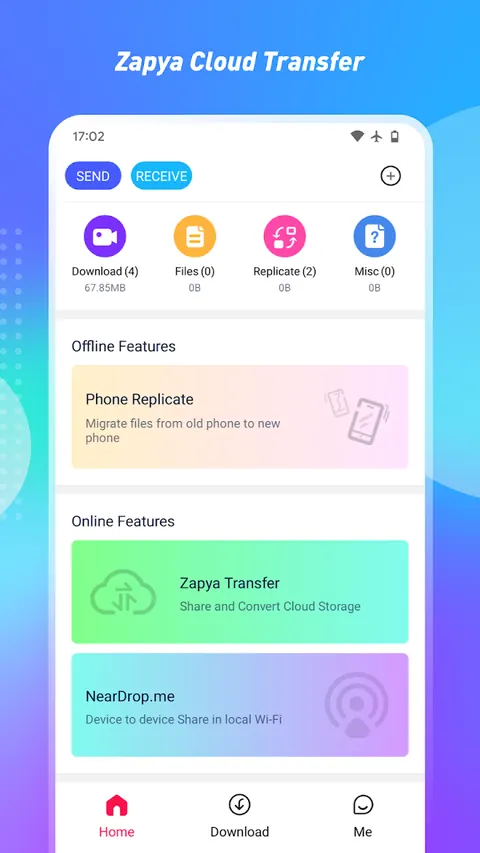
Zapya Transfer (online sharing)
Need to send a file to someone in another city? Zapya Transfer uploads it and creates a share link that works in any browser. The recipient does not need to install Zapya, and the service is free and multilingual.
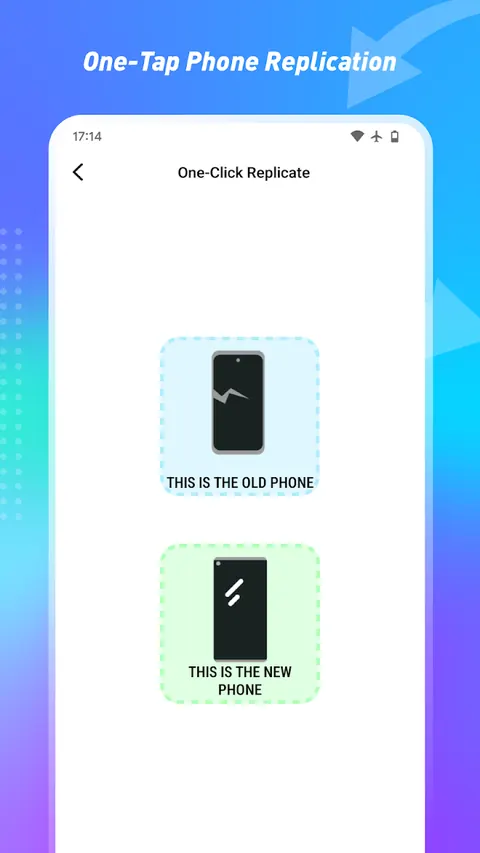
Phone Replicate
Got a new phone? Phone Replicate backs up and moves the content and data from your old device to the new one in a single operation, so you do not have to send items one by one.
Bulk transfer and folder sharing
Select entire folders or many large files at once and send them with one tap. Zapya keeps the folder structure, which is handy for photo albums and project files.
App sharing and "Install All"
Share installed apps directly from your phone as APK or AAB packages. On the receiving side, Install All lets you select several received apps and install them together.
USB drive (OTG) support
Plug a USB flash drive – or several drives through a hub – into your phone and Zapya can view, save and send files straight from that storage.
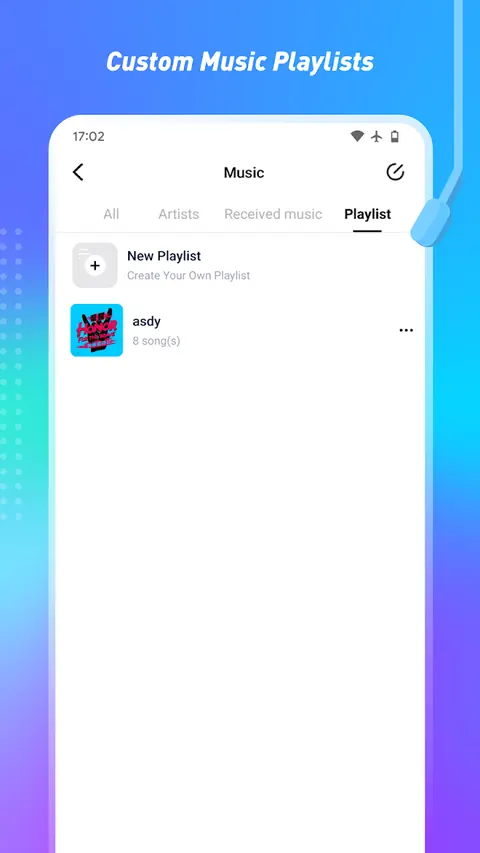
Music player and custom playlists
Zapya includes a simple music section where you can build your own playlists from received or local songs.
Modern Android support
Zapya supports scoped storage on Android 11 and later for safer file handling, and the developer lists compatibility from Android 8 all the way to Android 16.
Zapya Transfer Speed – How Fast Is It?
DewMobile quotes speeds of up to 10 MB/s, which it describes as roughly 128 times faster than Bluetooth. Real-world speed depends on both devices' Wi-Fi hardware, the distance between them and interference from nearby networks. Modern phones that support 5 GHz Wi-Fi are usually faster than older budget models.
At 10 MB/s, here is roughly how long common transfers take:
| What you send | Size | Approx. time |
|---|---|---|
| 50 photos | 150 MB | ~15 seconds |
| A full album of songs | 300 MB | ~30 seconds |
| HD movie | 1.5 GB | ~2.5 minutes |
| Large game / backup | 4 GB | ~7 minutes |
For comparison, Bluetooth typically manages well under 1 MB/s, so the same 1.5 GB movie could take half an hour or more.
Zapya APK System Requirements
- Android version: Android 8.0 (Oreo) or newer – Android 7 and older need a Zapya old version
- Storage: about 150 MB free for the app, plus room for the files you receive
- RAM: 2 GB or more recommended for smooth large transfers
- Wireless: Wi-Fi hardware (5 GHz support gives the best speed)
- Permissions: storage/media, nearby devices or location (needed by Android for Wi-Fi discovery) and camera for QR scanning
- Internet: not required for nearby sharing; required only for Zapya Transfer
Low-end phones running Android Go edition can use the lighter Zapya Go APK, which is a much smaller download.
Which Devices Support Zapya?
Zapya works with almost every phone and computer you are likely to own:
- Android phones – Samsung, Xiaomi/Redmi, Vivo, Oppo, Realme, Tecno, Infinix, itel, Motorola, Pixel and more
- Android tablets
- iPhone and iPad (iOS 13 or later)
- Windows 11, 10, 8 and 7 PCs and laptops
- MacBook and iMac (macOS 10.10 or later)
- Huawei phones with HarmonyOS
- Any device with a web browser (via Zapya Transfer/WebShare)

How to Download and Install Zapya APK on Android
Installing the Zapya APK takes about a minute. Follow these steps:
- Download the APK. Tap the Download Zapya APK button on this page. The 25.7 MB file is saved to your phone's Downloads folder.
- Open the file. Tap the download notification, or open your file manager and tap
Zapya_v7.1.1.apk. - Allow the install. If Android shows "For your security, your phone is not allowed to install unknown apps from this source", tap Settings and switch on Allow from this source for your browser or file manager.
- Install. Go back and tap Install. Wait a few seconds for the installation to finish.
- Open Zapya. Tap Open, accept the permissions you are comfortable with, and you are ready to share.
After installing, you can turn the "install unknown apps" permission off again for your browser. It is only needed during installation.
If Google Play Protect shows a warning, check that the package name is com.dewmobile.kuaiya.play and the developer is DewMobile. You can also simply install Zapya from Google Play – it is the same app.
How to Use Zapya to Send and Receive Files
Both devices need Zapya installed (except when you use Zapya Transfer in a browser). Then:
- Open Zapya on both phones.
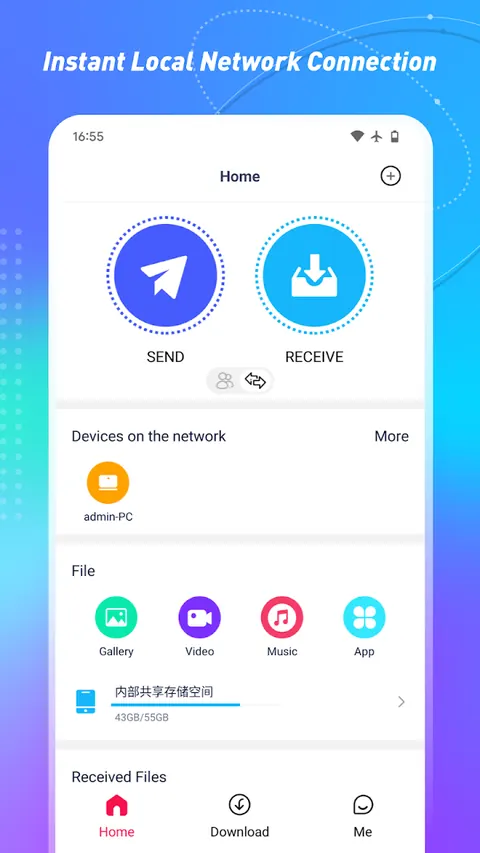
- On the receiving phone, tap Receive (or create a group).
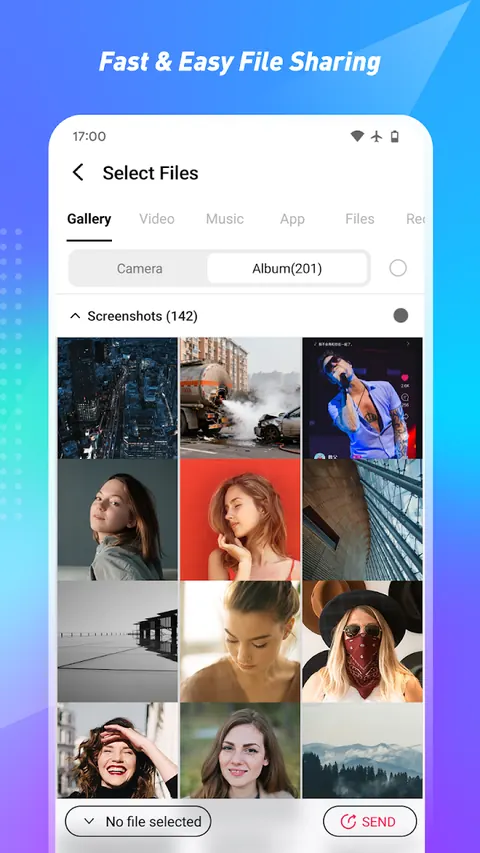
- On the sending phone, tap Send and select the photos, videos, apps or files you want.
- Choose the receiver from the radar, scan their QR code, or shake both phones to connect.
- The transfer starts immediately. Received files appear in Zapya's history and in your phone's storage.
Connect with a QR code
QR is the most reliable method in crowded places. The receiver shows a QR code, and the sender scans it with Zapya's built-in scanner. This also works for iPhone-to-Android and phone-to-PC connections.
Shake to connect
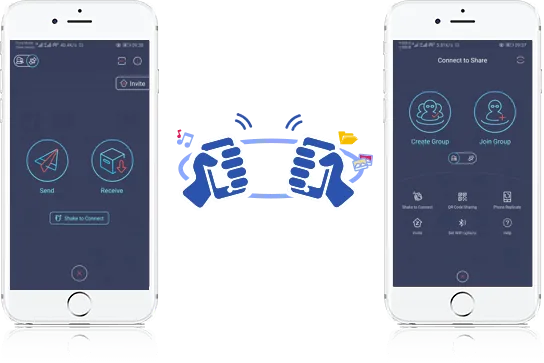
Shake two phones at the same moment while Zapya is open and they will find each other automatically – a quick trick when sharing with a friend sitting next to you.
Share with a group
Create a group and let several nearby friends join. Everyone in the group can then send files to the others, which is ideal for classrooms and team meetings.
How to Transfer Files From Android to PC With Zapya
Zapya has a free Windows client. Install Zapya for PC, connect the phone and computer to the same Wi-Fi network (or let Zapya create a hotspot), then scan the QR code shown on your PC with the Zapya app on your phone. You can then drag files from Windows Explorer to your phone, or send photos and videos from your phone to the PC. Mac users can do the same with Zapya for Mac.
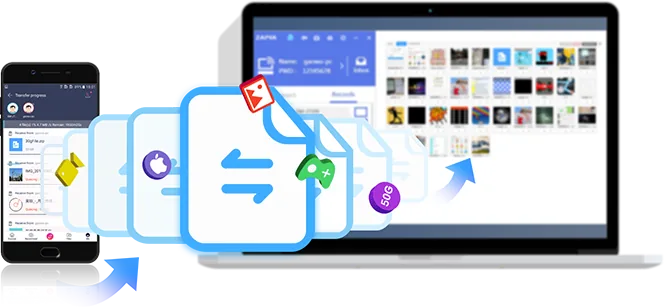
How to Transfer From iPhone to Android With Zapya
Because Zapya is available on both platforms, it is one of the simplest ways to move photos and videos between an iPhone and an Android phone. Create a group on the Android phone, then on the iPhone open Zapya and tap the group to join – the developer added one-tap joining for exactly this situation. Full instructions are on our Zapya for iPhone page.
Phone Replicate: Move Everything to a New Phone
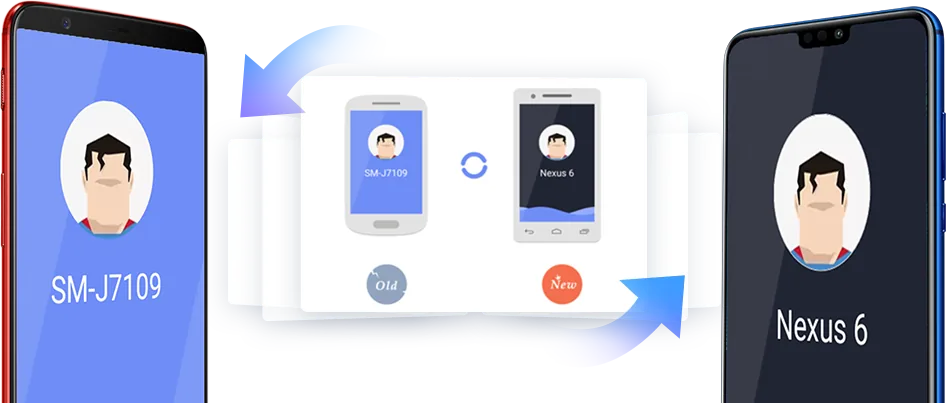
- Install Zapya on both the old and the new phone.
- Open Phone Replicate on both devices and mark which one is old and which is new.
- Connect them (the new phone shows a QR code for the old phone to scan).
- Choose what to copy – for example photos, videos, music, apps and other supported data – and start.
- Keep both phones close together and unlocked until the replication finishes.
Zapya Transfer: Share Files Online in a Browser
Zapya Transfer is the online side of Zapya. It lets you send files to anyone in the world through a web link, and the receiver can download them in a normal browser without installing anything. It is free and useful when the other person is not nearby. Remember that this mode uploads your files to the internet, so use offline sharing for anything sensitive.
Where Does Zapya Save Received Files?
Inside the app, received items are listed in Zapya's transfer history, sorted by type (apps, photos, videos, music and files). On the phone's storage, Zapya normally creates a folder named zapya with sub-folders for each type. On Android 11 and later, scoped storage can change where the files end up, so the quickest way to find something is to search for "zapya" in your file manager.
Some users of the new 7.1 interface report that received files are easier to find with a file manager than inside the app. If your files seem "missing", check the zapya folder or your Downloads folder before re-sending them.
How to Update Zapya APK
To update, download the newest Zapya APK and install it over your current version – there is no need to uninstall first, and your history and settings are kept. Android only allows this when the new file has the same package name and is signed with the same certificate, so always update with an official build. If you installed Zapya from Google Play, Play will update it automatically.
If you prefer an earlier interface (for example the layout before 7.1), you can install a Zapya old version instead, but you will need to uninstall the newer one first.
Is Zapya APK Safe?
The official Zapya APK is a legitimate app from a long-established developer, distributed on Google Play, the App Store and the Microsoft Store. The APK on this page is the original Google Play build: it is signed with DewMobile's certificate, it has not been modified, and its SHA-256 checksum matches the one published by the signature-verifying archive APKMirror. That said, "safe" depends on where your file comes from:
- Download from a trusted source (this page, Google Play or a signature-verified archive) rather than unknown mirrors.
- Check the package name – it must be
com.dewmobile.kuaiya.play. - Avoid "MOD" or "Premium unlocked" versions, which are re-signed by unknown people.
- Scan the APK with Google Play Protect or a service such as VirusTotal if you are unsure.
- Compare the checksum – the Zapya 7.1.1 APK on this page has SHA-256
a23ddd6b5b5f3bbae4af6b0330ca3620f3414bbc2a8b22ca9aeaa45d99845e5e.
On privacy, Zapya's Google Play data-safety section says the app may collect location and may share location, app info and performance data, and device IDs with third parties (mainly for analytics and advertising). Data is encrypted in transit and you can request deletion. Files you send with offline mode go directly between devices and are not uploaded.
What Permissions Does Zapya Ask For?
| Permission | Why Zapya uses it |
|---|---|
| Storage / Photos & media | To read the files you choose to send and save the files you receive |
| Nearby devices / Location | Android requires this for Wi-Fi scanning, hotspot and Wi-Fi Direct discovery |
| Camera | To scan connection QR codes |
| Wi-Fi control | To create and join the private transfer network |
| Install unknown apps | Only to install apps (APKs) that friends send you |
| Contacts / messages | Only if you use Phone Replicate to move that data |
| Notifications | To show transfer progress |
You can deny optional permissions and grant them later only when you need a specific feature.
Is Zapya a Chinese App? Is It Banned in India?
Zapya was originally created in China (as Kuaiya) by DewMobile. The Android version on Google Play is published by Dewmobile USA, Inc., while the iOS App Store lists the seller as Lindong Network Technology (Beijing) Co., Ltd.
Zapya was not among the 59 apps India blocked in June 2020 – that list included rivals such as SHAREit and Xender – and, as of November 24, 2026, Zapya is listed and installable on Google Play in India. Government app lists can change, so check the Play Store in your country if in doubt.
Zapya Original APK vs Zapya MOD APK
Searches for "Zapya MOD APK" usually promise an ad-free or "premium" Zapya. In practice:
- Zapya's core features are already free – there is nothing important to "unlock".
- A MOD is rebuilt and re-signed by an unknown third party, so you cannot verify what was added to the code.
- Because the signature changes, a MOD cannot be updated with the official APK – you must uninstall it first, losing data.
- A file-sharing app has access to your storage, so a tampered version is a real privacy risk.
If ads bother you, the cleaner options are DewMobile's paid ZapyaPro on iOS or an ad-free open-source alternative such as LocalSend (see the comparison below).
Is Zapya Free? Does It Have Ads?
Yes, Zapya is free to download and use, including unlimited offline transfers and Zapya Transfer. The free app shows ads and offers optional in-app purchases. You do not need to pay to send files of any size.
Do You Need an Account to Use Zapya?
No sign-up is required for nearby sharing – install the app, grant permissions and start sending. An account is only useful for optional online features such as signing in to Zapya's web services.
Common Zapya Problems and Fixes
Zapya not connecting
- Turn on Wi-Fi and location (or "Nearby devices") on both phones – Android hides nearby Wi-Fi devices without it.
- Turn off any VPN, and disable mobile hotspot if it is already running for another purpose.
- Use the QR code method instead of radar or shake.
- Make sure both devices run a recent Zapya version, then restart the app on both.
Zapya hotspot not working
Some phones block apps from creating a hotspot when battery saver or "data saver" is on. Disable those modes, toggle airplane mode on and off, and try again. If it still fails, connect both phones to the same Wi-Fi router and use the QR code.
Zapya not working on iPhone
Update Zapya from the App Store, allow Local Network access in iPhone Settings → Privacy & Security → Local Network, and join the group created on the Android phone rather than creating it on the iPhone.
"App not installed" error
This usually means the download is incomplete, your Android version is older than 8.0, there is not enough storage, or a different (MOD or old) Zapya is already installed with another signature. Re-download, free up space, or uninstall the conflicting version first.
Zapya videos not showing in the gallery
Received videos are saved in the zapya folder, and some gallery apps do not scan it immediately. Restart the phone or open the file once with a file manager. You can also move the video to your Movies or DCIM folder.
"File does not exist" error
The file was moved, renamed or deleted on the sender's phone after it was selected, or the storage permission was revoked. Re-select the file and send it again, and make sure Zapya still has media access.
Slow transfer speed
Bring the devices closer, avoid busy 2.4 GHz networks, close other apps that use Wi-Fi heavily, and keep both screens on during large transfers.
Zapya APK Pros and Cons
Pros
- Very fast offline transfers – no internet or data
- Works across Android, iPhone, Windows and Mac
- No file size or file type limits
- Four flexible ways to connect
- Phone Replicate for new phones
- Free, with 100M+ installs and a long track record
Cons
- Shows ads in the free version
- Both devices need Zapya for local sharing
- The 7.1 redesign removed some features users liked, such as hiding apps
- Collects some analytics and location data
Zapya vs SHAREit vs Xender vs Send Anywhere vs LocalSend
| Feature | Zapya | SHAREit | Xender | Send Anywhere | LocalSend |
|---|---|---|---|---|---|
| Offline transfer | Yes | Yes | Yes | Yes (Wi-Fi Direct) | Same Wi-Fi network |
| Android / iPhone | Yes / Yes | Yes / Yes | Yes / Yes | Yes / Yes | Yes / Yes |
| Windows / Mac | Yes / Yes | Yes / Yes | Web-based | Yes / Yes | Yes / Yes (+ Linux) |
| Phone cloning | Yes | Yes | Yes | No | No |
| Ads | Yes | Yes (heavy) | Yes | Yes (free plan) | No, open source |
| Available in India | Yes | Blocked since 2020 | Blocked since 2020 | Yes | Yes |
Zapya vs SHAREit: both are fast and cross-platform, but Zapya is generally considered lighter and less cluttered with ads, and it remains available in India. Zapya vs Xender: similar speed; Zapya's QR, shake and radar options give it more ways to connect. LocalSend vs Zapya: LocalSend is open source and ad-free but needs both devices on the same Wi-Fi network, while Zapya can create its own network anywhere.
Best Zapya Alternatives
- Quick Share (Nearby Share) – built into most Android phones and Windows; great for Android-to-Android and Android-to-PC.
- LocalSend – free, open source, no ads; works on every major platform over local Wi-Fi.
- Send Anywhere – combines direct transfers with 6-digit keys and cloud links.
- ShareMe – Xiaomi's free offline sharing app, available for most Android phones.
- Zapya Go – DewMobile's own lightweight version for Android Go phones; see Zapya Go APK.
Zapya APK Old Versions
Every Zapya update changes something. If the 7.1 redesign removed a feature you relied on, or your phone runs Android 7 or older, an earlier release may suit you better. Our Zapya old version page lists previous releases (6.x, 5.x and 4.x), explains which one to choose and shows how to downgrade safely.
Frequently Asked Questions About Zapya APK
What is the latest version of Zapya APK?
The latest version is Zapya 7.1.1, released on Google Play on November 2, 2026. The APK is 25.7 MB and requires Android 8.0 or later.
Is Zapya APK free to download?
Yes. Zapya is completely free to download and use, with no limits on file size or the number of transfers. The free version contains ads and optional in-app purchases.
Is Zapya safe to use?
The official Zapya app from DewMobile is safe and is available on Google Play, the App Store and the Microsoft Store. Download it only from official sources, check that the package name is com.dewmobile.kuaiya.play, and avoid modified (MOD) versions.
Does Zapya need internet or mobile data?
No. Zapya transfers files to nearby devices over its own local wireless connection without internet or mobile data. Only the online Zapya Transfer feature, which sends files through a web link, needs internet.
How fast is Zapya file transfer?
DewMobile quotes speeds of up to 10 MB/s, about 128 times faster than Bluetooth. A 1.5 GB movie takes roughly two to three minutes, depending on your phones and Wi-Fi conditions.
Can Zapya transfer files from iPhone to Android?
Yes. Install Zapya on both phones, create a group on the Android phone and join it from the iPhone with one tap. You can then send photos, videos and files in both directions.
Does Zapya work on PC and Windows 11?
Yes. DewMobile offers a free Zapya PC client for Windows, and it runs on Windows 11, 10, 8 and 7. You connect your phone by scanning a QR code shown on the PC.
Which Android version does Zapya require?
The current Zapya APK requires Android 8.0 (Oreo) or newer and supports up to Android 16. Phones on Android 7 or older can use an older Zapya release or Zapya Go.
Where are Zapya received files saved?
Received files are listed in Zapya's transfer history and saved in a folder named zapya on your phone's internal storage, organised by file type. On newer Android versions, search for zapya in your file manager to find them quickly.
Why is Zapya not connecting?
The most common causes are Wi-Fi or location (nearby devices) being turned off, an active VPN, battery saver blocking the hotspot, or outdated app versions. Turn on Wi-Fi and location on both devices, update Zapya and connect with the QR code method.
Is Zapya banned in India?
No. Zapya was not on the list of apps India blocked in 2020 (which included SHAREit and Xender), and as of November 24, 2026 it is available on Google Play in India.
Zapya app kya hai aur Zapya download kaise kare?
Zapya ek free file sharing app hai jo bina internet aur bina data ke photos, videos, apps aur documents ek phone se dusre phone, iPhone ya PC par bhejta hai. Zapya download karne ke liye is page par Download Zapya APK button dabaiye, file open kijiye, "Allow from this source" on kijiye aur Install par tap kijiye.
What is the difference between Zapya and Zapya Go?
Zapya is the full-featured app for modern phones. Zapya Go is a lightweight version designed for Android Go and low-storage phones, with a much smaller download size and the core sharing features.
Conclusion
Zapya remains one of the fastest and most flexible ways to share files without the internet. It connects Android phones, iPhones, PCs and Macs, handles files of any size, and adds useful extras like Phone Replicate and browser-based Zapya Transfer – all for free. Download the official Zapya APK v7.1.1 below, install it in a minute, and start sharing at full Wi-Fi speed.